
This dialog box displays when you select a unique document from a class of documents or create a new document. You can add documents to parts or packets.
 Options and Field Descriptions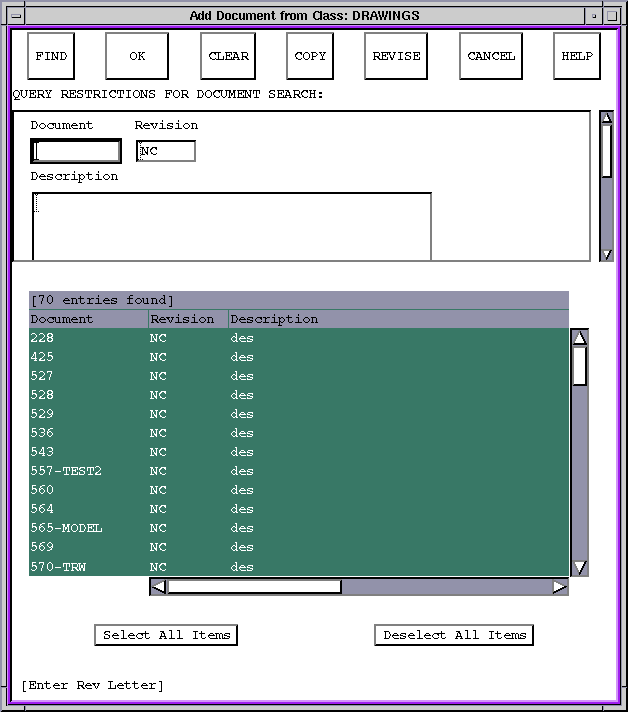
Figure Caption: Add
Document from Class Dialog Box.
| Option and Field Descriptions |
|---|
| Find - Finds documents based on a database query that corresponds with entries in the query restriction edit fields. Wildcards are allowed in these query fields. |
| OK - Adds selected documents to the packet or part. |
| Clear - Clears any entries in the query restriction fields. |
| Copy - Adds a copy of the selected document to the parent part or packet. |
| Revise - Adds a revision of the selected document to the parent part or packet. |
| Cancel - Cancels the add operation. |
| Help - Accesses the help for this dialog box. |
| Select All Items - Selects all entries in the list, which you will add to the part or packet. |
| Deselect All Items - Deselects all selected entries. |
| Values you enter in the query restriction fields can contain wildcards, which are the '*' symbol. For example, you can find all documents with IDs starting with '1' by entering '1*' in the document field. To display the entries found, double-click each item separately or select all the items you want to display and click OK. |
Questions about ECC ??? Send e-mail to
support@integware.com