
Use this dialog box to assign a number to a new part.
 Options and Field Descriptions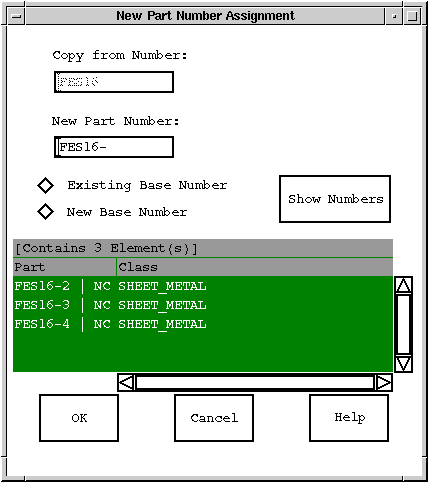
Figure Caption:
Part Number Assignment Dialog Box.
| Options and Field Descriptions |
|---|
| OK - Accepts the operation. |
| Cancel - Cancels the operation. |
| Help - Accesses the help for this dialog box. |
| Existing Base Number - Displays the current base number in the new part number field. |
| New Number - Displays a new base number according to business rules for the system. |
| Show Numbers - Displays the part numbers of those parts having the same base number. |
| Depending on the business rules for your installation, you can enter any number in the new part number field, but it is typically better to use the given base number and number the parts sequentially. |
Questions about ECC ??? Send e-mail to
support@integware.com