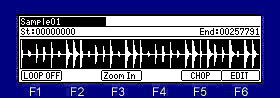
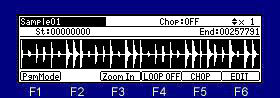
Setting the loop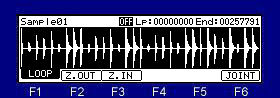
If F1 (LOOP) key is pressed, it will become a setting screen of a loop.
If OFF on middle of the screen is turned ON, a loop function will work. (ON/OFF of a loop)
It is adjustment of a loop point in the "Lp" field.
It is adjustment of an end point in the "End" field.
Level is expanded and displayed by

 cursor key.
If the F6(JOINT) key is pressed, the window of "Joint" will open.

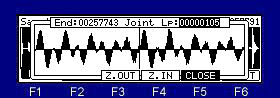
It can adjust looking at a joint.
Screen left-hand side is an end point.
Right-hand side is a loop point.
Linking the loop point to the start point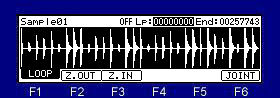
If the [WINDOW] key is pressed when cursor is in the "Lp" field, the window of "Option" will open.
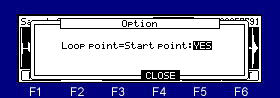
If "YES" is select, a start point and a loop point will become the same value.
A loop point becomes the same value as a start point, and a start point will also be changed into the same value if a loop point is changed.