 On the screen of [MODE]+PAD11, a setup of
PROGRAM, MXER, and EFFECT can be carried out collectively.
On the screen of [MODE]+PAD11, a setup of
PROGRAM, MXER, and EFFECT can be carried out collectively.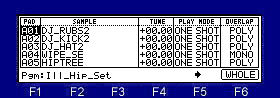
If [F1] key is pressed, cursor will move to the Pgm field, and if a key is released, it will return to the last position.

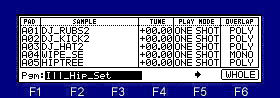
Please choose the program which turns and edits a DATA wheel, pressing [F1] key.
Movement of a column should press
 or the
  cursor key.
If a DATA wheel is turned pressing
or the cursor key, it can move quickly.If F5(
 ) key is pressed, the next
parameter screen will be displayed.
) key is pressed, the next
parameter screen will be displayed.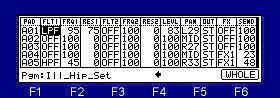
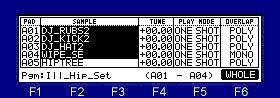
The value of two or more pads can be simultaneously changed by F6 (WHOLE) key.
If F6 (WHOLE) key is pressed, a pad number will be displayed on F4 and F5 key.
Pressing F4 key, please turn a DATA wheel and choose the pad number used as the starting point of the range.
Pressing F5 key, please turn a DATA wheel and choose the pad number used as the end point of the range.