
Document Selection Dialog Box
This dialog box displays when you add documents using the
Edit/Add Document by Number
command.
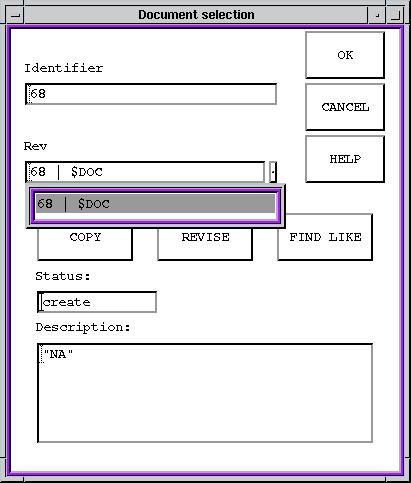
Figure Caption: Document
Selection Dialog Box.
| Options and Field Descriptions |
| OK - Accepts the document specified in the Identifier
box. |
| Cancel - Cancels the action. |
| Copy - Creates a document with a new identifier using
the specifications for the selected document. |
| Revise - Creates a new revision of the document
specified in the Identifier box. |
| Find Like - Searches for elements with characteristics
similar to the values you entered. |
Questions about ECC ??? Send e-mail
to support@integware.com
