 Options and Field Descriptions
This dialog box displays when you select the File/Launch Application command in the Document View of the Document Window. You use it to select the type of file to create and to select an application.
Options and Field Descriptions 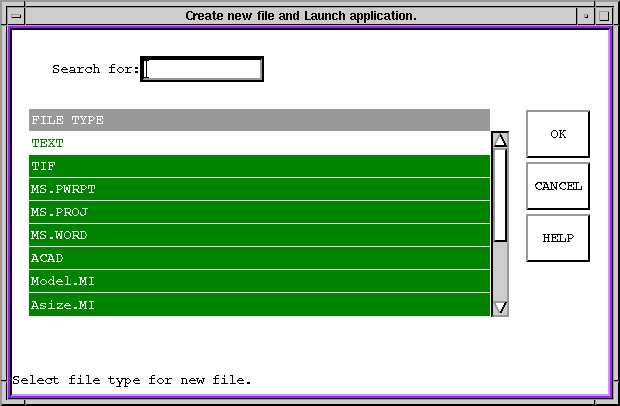
Figure Caption: Create New
File and Launch Application Dialog Box.
| Options and Field Descriptions |
|---|
| OK - Selects the part specified in the Identifier box. |
| Cancel - Cancels the action. |
| Help - Accesses the help for this dialog box. |
| The file type you select launches an application based on your system's installation configuration. For more information, see the Creating a New File in an Application - How to Description. |
Questions about ECC ??? Send e-mail to
support@integware.com