
| Document Window - Document ViewThe Document view displays the files contained in the selected document. |
 How To Launch a Document
How Add a File
Field Descriptions
Menu Commands
Icon Descriptions
How To Launch a Document
How Add a File
Field Descriptions
Menu Commands
Icon Descriptions
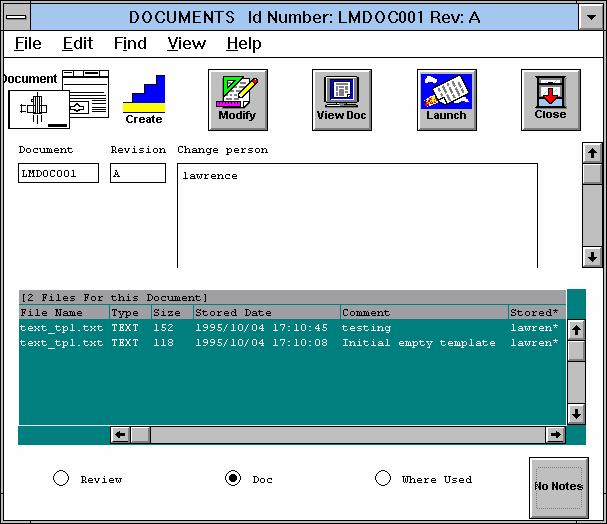
Figure Caption: Document
View for Documents Window.
The following pull-down menu options are available in this view:
Field Descriptions
Menu Commands
Icon Descriptions
Clicking an icon implements its command:

Modify - Implements the Edit/Change command for modifying
the contents of the window.
View Document - Implements the File/View command for viewing the
document. You can create and save notes with the document.
Launch Application - Implements the File/Launch App command for
editing the document in an application.
Close Window - Implements the File/Close command.
Questions about ECC ??? Send e-mail to
support@integware.com