
| Document Window - Review ViewThe Review View shows the review parameters for the document, which someone should review before moving the document to the Released state. |
To use this view of the document window to send a document for review, see:
 How To Send a Document for Review
To review and approve a document using this view, see:
How To Review & Approve a
Document
To reject a document in this view, see:
How To Reject a Document
For a description of the fields that you can view or edit in this view, see:
Field Descriptions
For a listing of all the commands available in this view, see:
Menu Commands
For a description of the icons available in this view, see:
Icon Descriptions
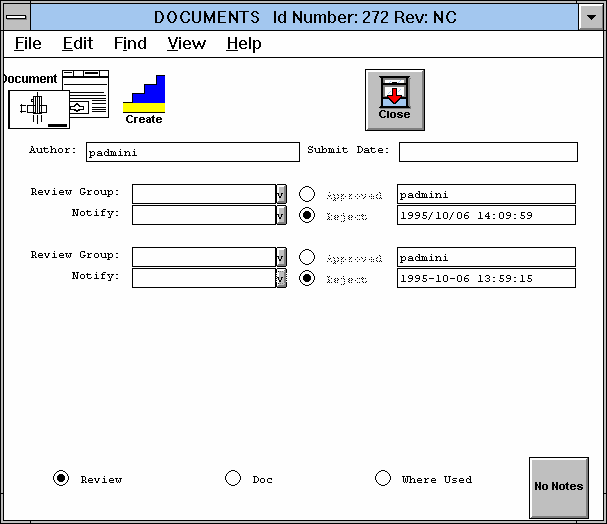
Figure Caption: Document Review View.
The following pull-down menu options are available in this view:
Field Descriptions
 pick list with
possible management groups for reviewing the document when it is
sent. Two groups can be part of the review process. The
business rules determine which groups appear in the pick list.
pick list to
notify when the document is sent for review. These
groups do not need to approve or reject the document.
pick list with
possible management groups for reviewing the document when it is
sent. Two groups can be part of the review process. The
business rules determine which groups appear in the pick list.
pick list to
notify when the document is sent for review. These
groups do not need to approve or reject the document.
Menu Commands

Modify - Implements the Edit/Change command for modifying the contents of the window. |

View Document - Implements the File/View command for viewing the document. You can create and save notes with the document. |

Launch Application - Implements the File/Launch App command for editing the document in an application. |
| Clicking an icon implements its command: |

Close Window - Implements the File/Close command. |
Questions about ECC ??? Send e-mail to
support@integware.com