DOC

Document Window - Where Used View

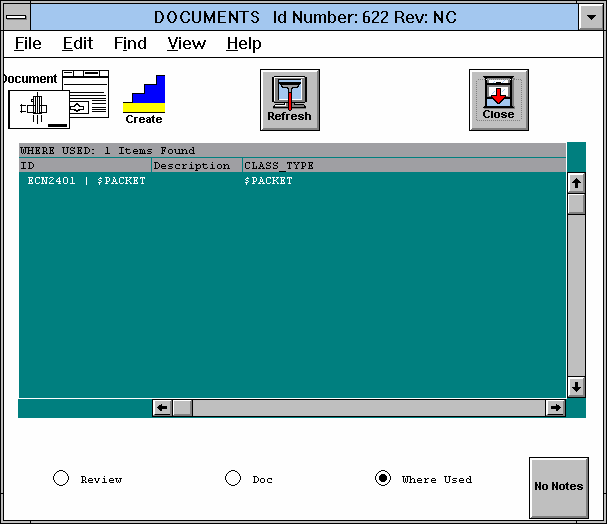
This view shows which packets and parts include the selected document.

  1. For a description of the fields that you can view or edit in this view, see:
    *Field Descriptions
  2. For a listing of all the commands available in this view, see:
    *Menu Commands
  3. For a description of the icons available in this view, see:
    *Icon Descriptions


Figure Caption: Document Where Used View.

Field Descriptions

  1. The ID (identification) field lists the unique identifier for when the part or packet was created.

  2. If the part or packet includes a Description, it displays in this field.

  3. The Class field displays a "$PACKET" entry for packets and a "$PART" entry for parts.

  4. You can use the View Buttons along the bottom to show the Document or Review View of the Document Window.

Menu Commands

The following pull-down menu options are available in this view:

File Edit Find View Help
Open
Close
Print
Print Table
Ready for Review
Reserve
Open Parent Packet
Open MGEO Part
Create ->
- Authorization Packet
- Pre-authorized Packet
Part...
Part by number...
Document...
Packet...
Review
Document
Where Used
Open
Hints

Icon Descriptions

Clicking an icon implements its command:

Refresh - Refreshes and updates the display window.

Close Window
- Implements the File/Close command.

Questions about ECC ??? Send e-mail to support@integware.com